
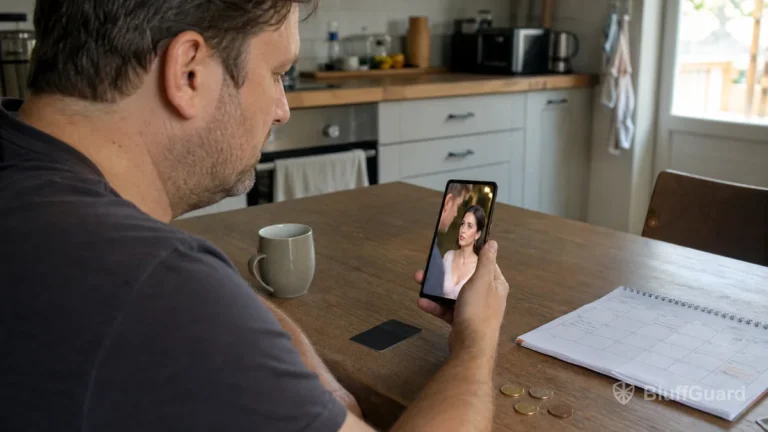
Short drama apps make it easy to begin a series, but the way later episodes are unlocked can be less obvious. One app may rely heavily on advertising, another may sell virtual coins, and a third may promote a weekly or monthly subscription. Some combine all three.
Understanding these systems before starting a long story can prevent unexpected charges and help you compare the real cost of finishing a series.
The basic viewing journey
Most short drama platforms follow a similar structure:
- You install the app or open its website.
- The service recommends a series or lets you browse by genre.
- Several opening episodes are available immediately.
- Later episodes may require an ad, coins, a waiting period or a paid plan.
- The app keeps your place and recommends another series when you finish.
The opening episodes introduce the conflict and are designed to make the viewer want the next chapter. This is normal for serial entertainment, but it means the access rules become important before the plot reaches its conclusion.
Free opening episodes
Many apps let viewers watch the beginning of a drama without making a purchase. This provides enough time to judge the acting, subtitles, story and video quality.
The word “free” can refer to different things. It may mean:
- the first few episodes are unlocked;
- episodes unlock after a waiting period;
- access is supported by advertisements;
- daily rewards provide a limited number of coins;
- selected titles are free while others are paid.
Do not assume that a free download means every episode is free. The current app page, in-app offer and terms should explain the model.
What are coins?
Coins, diamonds, points or bonuses are virtual balances used inside some short drama apps. A viewer spends them to unlock individual episodes or a group of episodes.
Coins may come from several sources:
- a direct purchase;
- a recurring coin package;
- daily login rewards;
- watching rewarded advertisements;
- completing tasks or promotions;
- a bonus included with a subscription.
Paid and bonus coins may have different rules. Bonus balances can expire, and coins purchased in one account or platform may not transfer to another. Before buying, check whether the app explains expiration, refunds and the number of coins required per episode.
Why total-series cost matters
A coin pack can look inexpensive until you calculate how many episodes it will unlock. To estimate the cost of finishing a series, note:
- the number of locked episodes remaining;
- the coin cost per episode;
- the number of paid coins in the pack;
- whether taxes or platform charges appear at checkout;
- whether bonus coins expire;
- whether the purchase starts a recurring plan.
For example, if 40 episodes remain and each one costs 50 coins, the series requires 2,000 coins. Compare that figure with the paid balance in each available pack. Do not include promotional coins unless the offer clearly guarantees them.
The numbers differ by app and can change. The point of the calculation is not to predict a universal price; it is to compare the offer shown on your own screen.
Rewarded ads and ad-supported viewing
Some apps allow viewers to unlock an episode or earn a temporary viewing benefit by watching an advertisement. This can reduce direct spending, but it still has a time cost.
Check whether an ad:
- unlocks one episode or only grants a small coin balance;
- provides a fixed ad-free period;
- has a daily limit;
- requires tracking consent or a network connection;
- must finish completely before the reward is granted.
An ad can fail because of a connection problem, app crash or unavailable demand. If the promised reward is not added, capture the series name, episode number and time before contacting support.
How subscriptions and VIP plans work
A subscription normally renews automatically until it is cancelled. It may be billed weekly, monthly or at another interval. The plan might include:
- access to part or all of the catalogue;
- a recurring coin allowance;
- fewer advertisements;
- HD playback;
- offline downloads;
- early or exclusive episodes.
The word “VIP” does not guarantee that every episode is included. Some plans provide benefits while individual episodes still require coins. Read the benefit list on the checkout screen carefully.
Also confirm who processes the payment. A subscription purchased through Google Play is managed in Google Play. An iPhone subscription is normally managed through Apple. A plan purchased directly on a website may require cancellation through that website or its support team.
One-time purchase or recurring charge?
The checkout screen should identify whether an offer is a one-time coin purchase or an automatically renewing subscription. Look for:
- the renewal interval;
- the next billing amount;
- introductory pricing and its end date;
- trial duration;
- cancellation instructions;
- what happens to unused access after cancellation.
Take a screenshot of the offer and keep the receipt. This makes it easier to confirm what was purchased if the app later presents a different promotion.
Does deleting the app cancel a subscription?
No. Removing an app from a phone generally does not cancel its subscription. Google Play explicitly states that uninstalling an app does not cancel the plan. Apple subscriptions also need to be managed through the Apple Account subscription settings unless the purchase was made elsewhere.
After cancellation, keep the confirmation email or screenshot and check the displayed expiry date. Access may continue until the end of the paid period.
Account, device and platform differences
A viewer can sometimes create an account with an email address, Google login, Apple login or a guest profile. Purchases made as a guest may be harder to restore after changing devices.
Before paying:
- create or confirm the account you intend to keep;
- note which sign-in method is active;
- verify whether purchases restore across devices;
- avoid creating duplicate accounts by using different login methods;
- keep the store receipt.
An Android purchase may not automatically transfer to an iPhone version of the same app. Cross-platform access depends on the developer’s account system and terms.
A practical comparison checklist
Before committing to a long series, answer these questions:
- How many episodes can I watch without paying?
- How are later episodes unlocked?
- What would the remaining series cost under the offer shown?
- Does the subscription unlock episodes or only provide benefits?
- How often does the plan renew?
- Where will I cancel it?
- Do coins or bonuses expire?
- Can purchases be restored on another device?
- Are subtitles, downloads and casting included?
- Is official support easy to find?
Short drama apps are not all built around the same business model. Treat the first episodes as an opportunity to evaluate both the story and the payment system. A few minutes spent checking the unlock rules can make the rest of the series much more predictable.
Related guides
- Free Episodes vs Coins vs Subscriptions
- How to Choose a Short Drama App Without Overspending
- How to Cancel a Short Drama App Subscription
Sources and further reading
- Google Play Help, Cancel, pause, or change a subscription on Google Play.
- Apple Support, If you want to cancel a subscription from Apple.
- Official app listings and terms for ReelShort, DramaBox, FreeReels and NetShort.
